
How to create a knowledge base and fill it properly
After creating a knowledge base, it is important not only to add materials, but also to arrange them so that the AI agent can easily find the right facts. This article shows how to create a knowledge base, what materials to add, and how to maintain a clear structure.
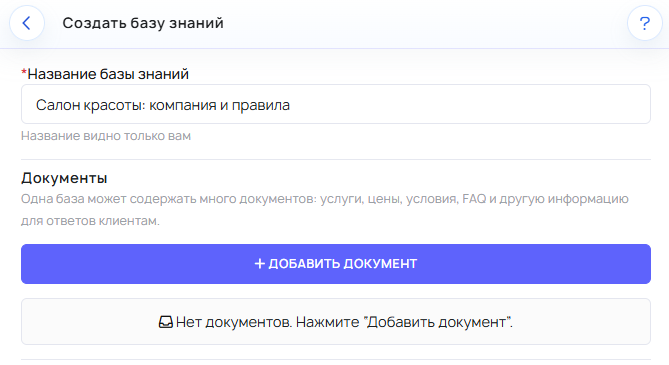
How to create a knowledge base
- Open the Knowledge Bases section.
- Create a new knowledge base.
- Give the knowledge base a clear name.
- Start by adding at least one document.
- Save the knowledge base.
It is best to immediately use a clear name based on the topic, area, or type of business. This is especially important if you later have several knowledge bases.
What is inside a knowledge base
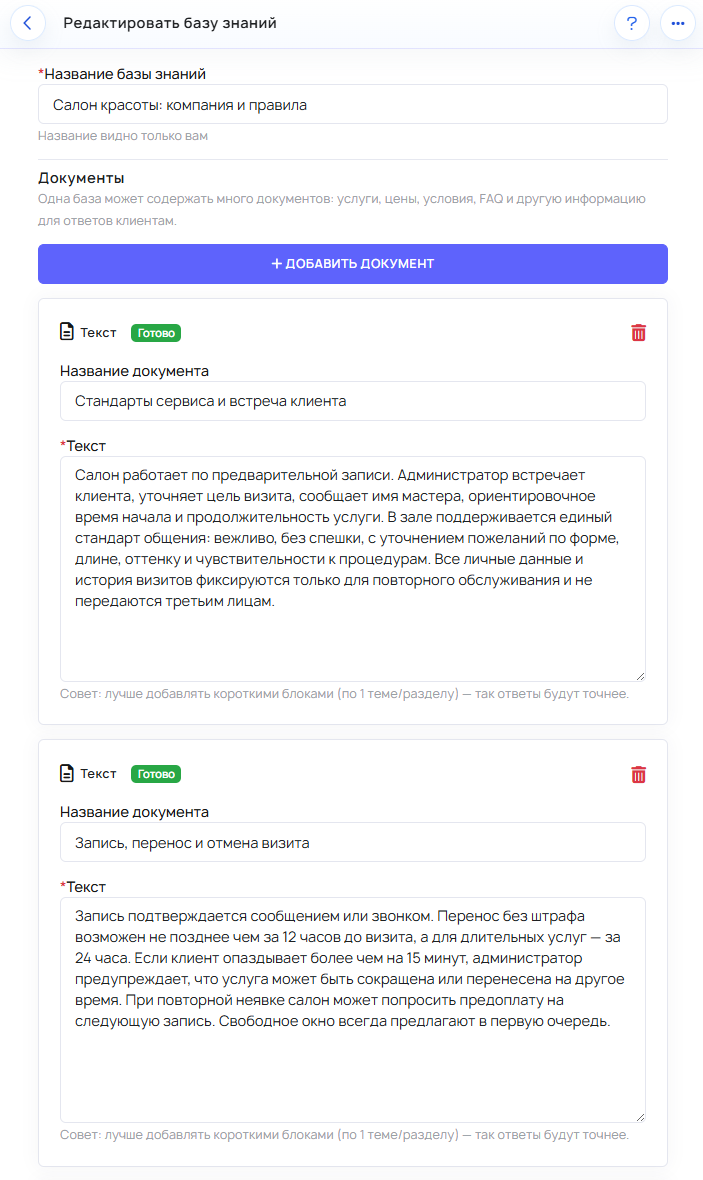
After creation, you enter the knowledge base itself. This is where the materials that the AI agent will later use are stored.
Inside a knowledge base, it is better to keep separate materials by topic rather than putting everything into one large document. This makes the information easier to keep organized and faster to find when answering.
What materials can be added
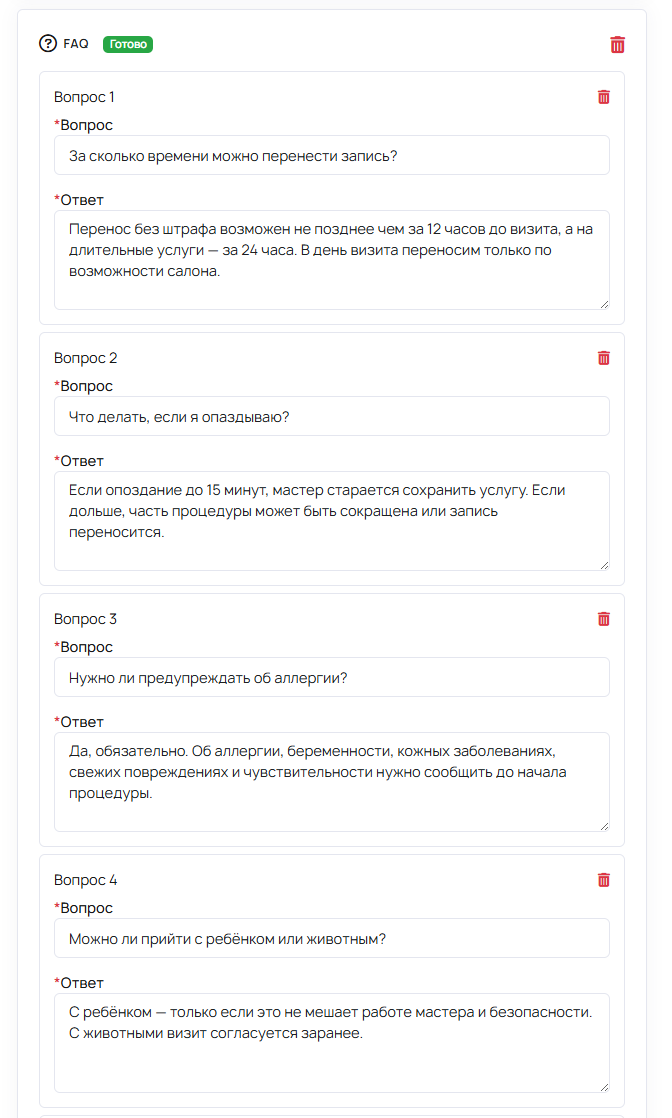
Two main formats are currently available in the knowledge base: text material and FAQ.
- Text material is suitable for long and detailed information: service descriptions, working terms, rules, prices, limitations, and instructions.
- FAQ is suitable for common questions that require a short and clear answer.
When to use text material
Choose text material if the topic needs to be explained in more detail. For example, when describing a service, return rules, the booking process, or delivery terms.
Text material is convenient where context, sequence of actions, and clarifications matter.
When to use FAQ
FAQ is best used if the same question is repeated frequently and needs a short, precise answer.
- The question is already asked regularly by customers.
- The question can be answered briefly and unambiguously.
- You want the AI agent to answer more consistently on this topic.
A simple rule of thumb: a long explanation is text material, a frequent short question is FAQ.
How to organize materials best
Fill the knowledge base with small, clear materials by topic. This makes it easier for the AI agent to find the right information and for you to maintain order.
- One material — one topic.
- Keep terms separate.
- Keep prices separate.
- Keep rules and limitations separate.
- Move common questions into FAQ.
What is the minimum set of materials to add
For the first useful launch, this set is usually enough:
- a material with the main description of the service or product;
- a material with important rules, terms, or limitations;
- a material with prices or important parameters;
- an FAQ for the most common customer questions.
Even this basic set already noticeably improves the quality of the AI agent's answers.
What is often done wrong
The most common mistake is putting everything into one large text. This is inconvenient both for maintaining the knowledge base and for the AI agent to search for information.
- Several topics are mixed in one material.
- Old and new rules are stored together.
- Contradictory information exists in different places.
- Common questions are not moved into FAQ.
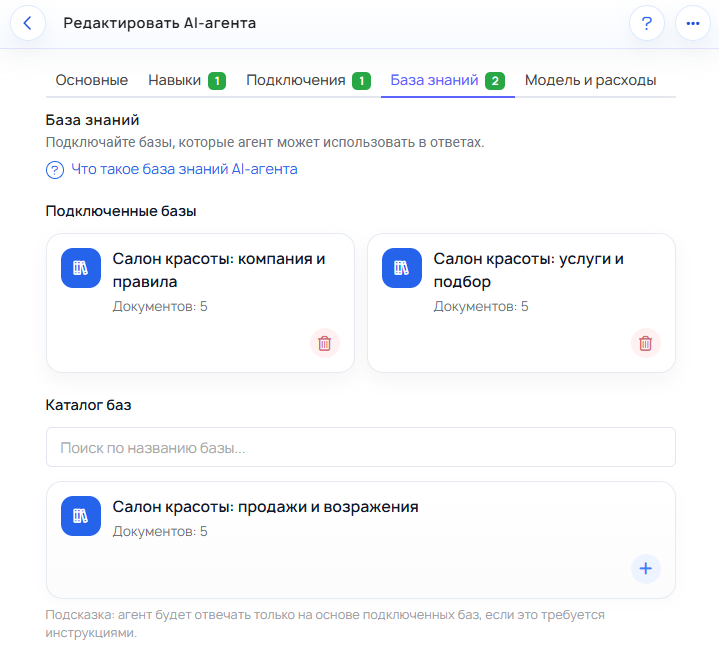
- The knowledge base is created but not connected to the AI agent.
How to tell when the knowledge base is missing something
Check the knowledge base if you notice these signs:
- The AI agent answers too generally.
- Answers to similar questions differ greatly.
- The AI agent cannot confidently answer about prices, timelines, or rules.
- Customers often ask the same question, but it is not in the FAQ.
How to improve the knowledge base over time
A good knowledge base is usually built not all at once. It is convenient to improve it gradually:
- review real conversations;
- notice recurring questions;
- move common questions into FAQ;
- split overly large materials into clearer parts;
- update rules and terms when they change.
This makes the knowledge base more useful for both the AI agent and your team.
Connect the knowledge base to the AI agent
Creating a knowledge base is not enough. For the AI agent to start using it in responses, the knowledge base must be connected separately to the agent itself.
If the knowledge base is not connected, the materials will not be used in responses, even if everything is already filled in.
What is important not to confuse
- The knowledge base gives the AI agent facts for answering.
- Instructions explain how exactly the AI agent should answer.
- Text material is needed for detailed explanations.
- FAQ is needed for frequent short questions.