
MOBITSA WEBSITE BUILDER
A website that is easy to build, launch and grow.
Start with a short brief or a ready-made block. Mobitsa helps shape the structure and copy, while you control the design and add sales, booking or a blog — without code or a patchwork of separate services.
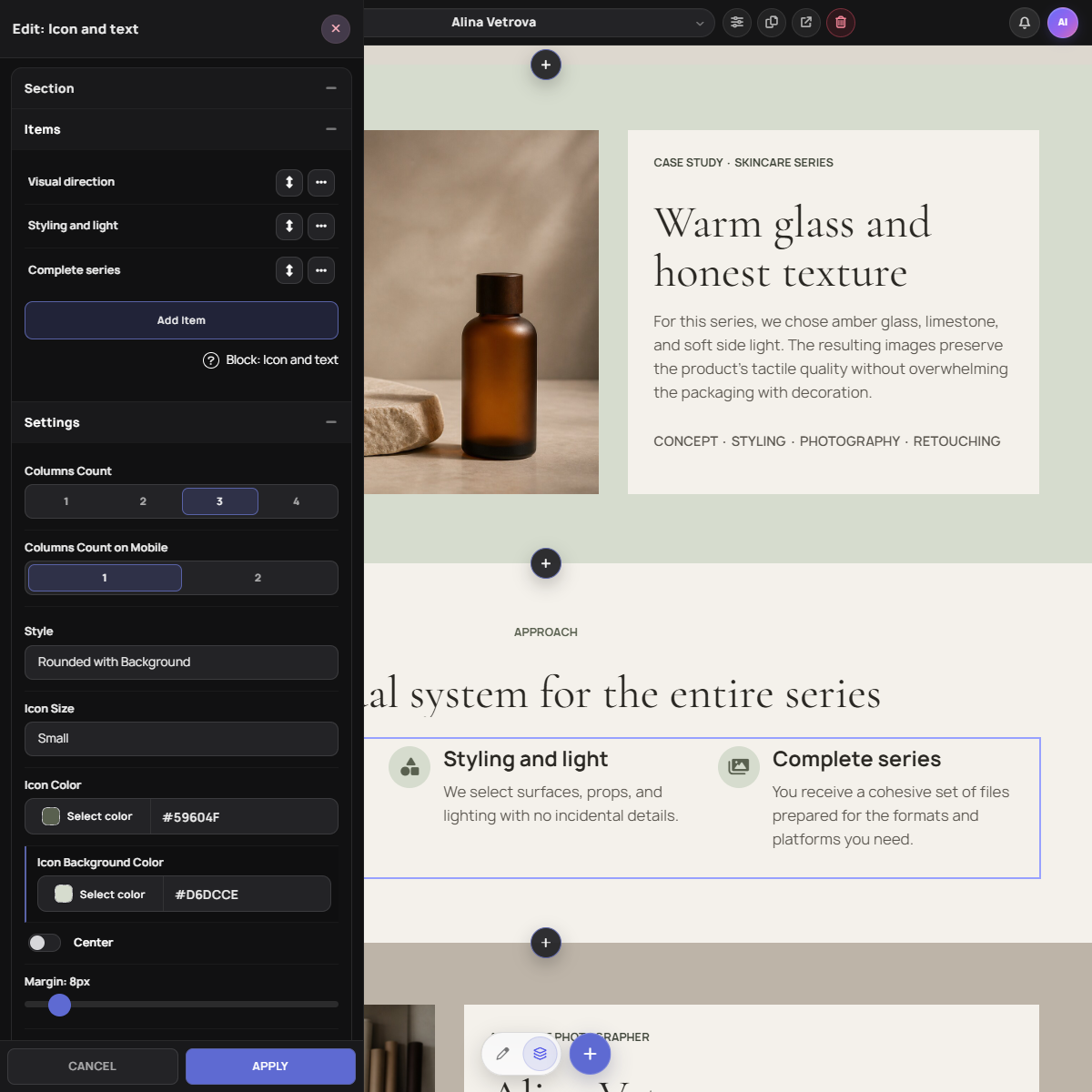
FROM IDEA TO FIRST DRAFT
A fast start without a generic result.
AI removes the blank-page problem without taking away control. Once the foundation is ready, freely change the structure, copy, imagery and styling in the visual editor.
-
01
Describe the task
Tell Mobitsa about the business, the page goal and the action a visitor should take.
-
02
Get a foundation
Mobitsa suggests a structure and draft content that opens directly in the editor.
-
03
Make it yours
Change any block, typography choice or composition without being locked into a template.
DESIGN SYSTEM
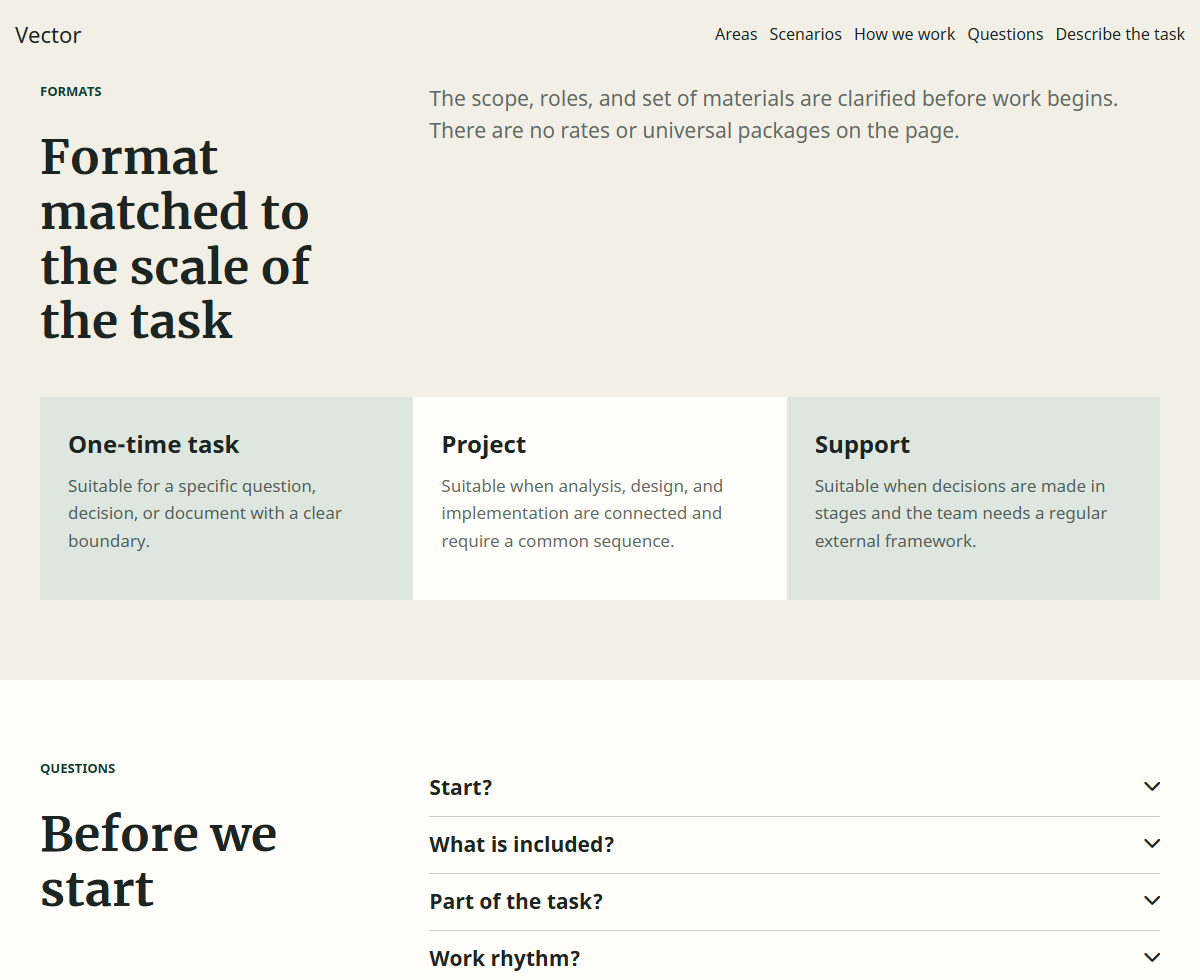
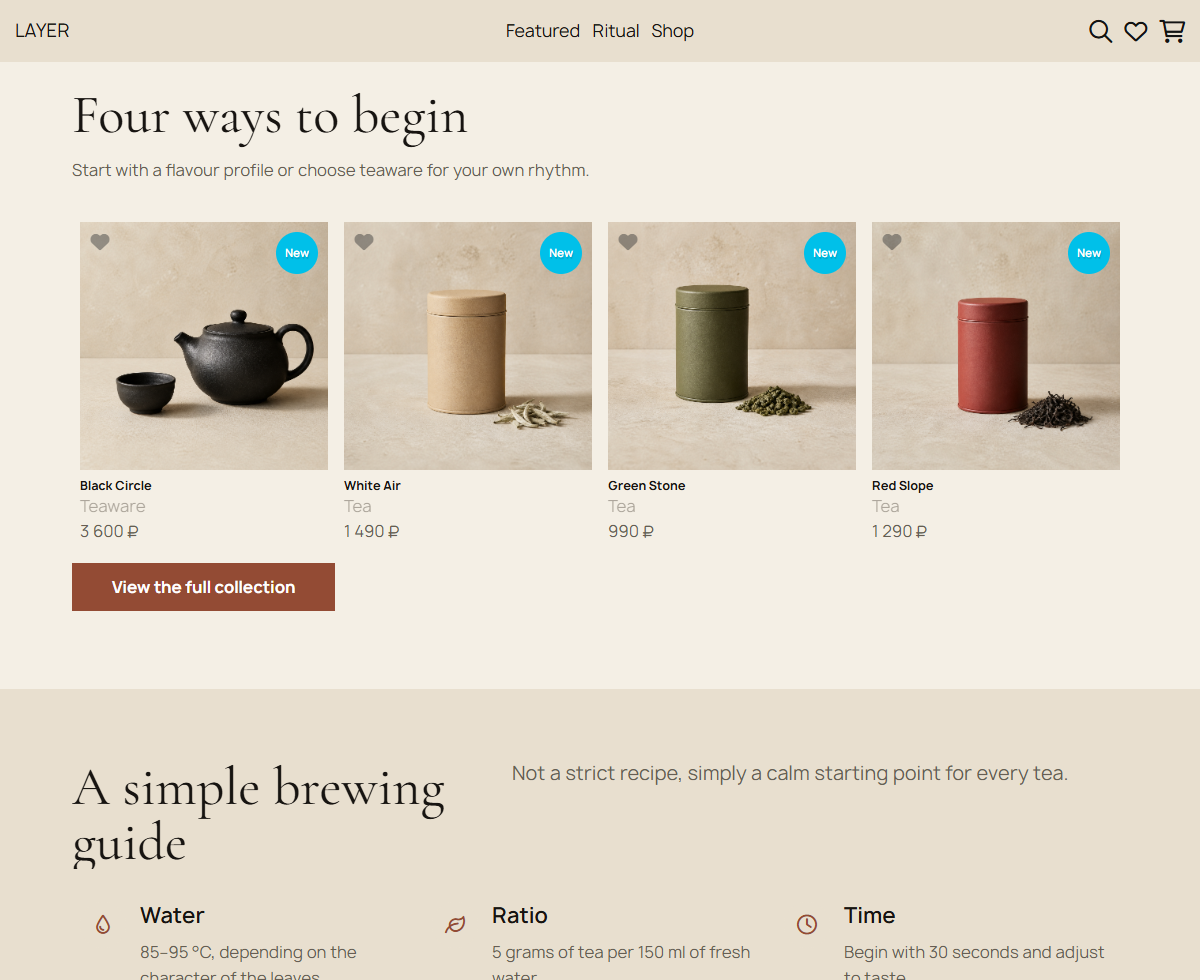
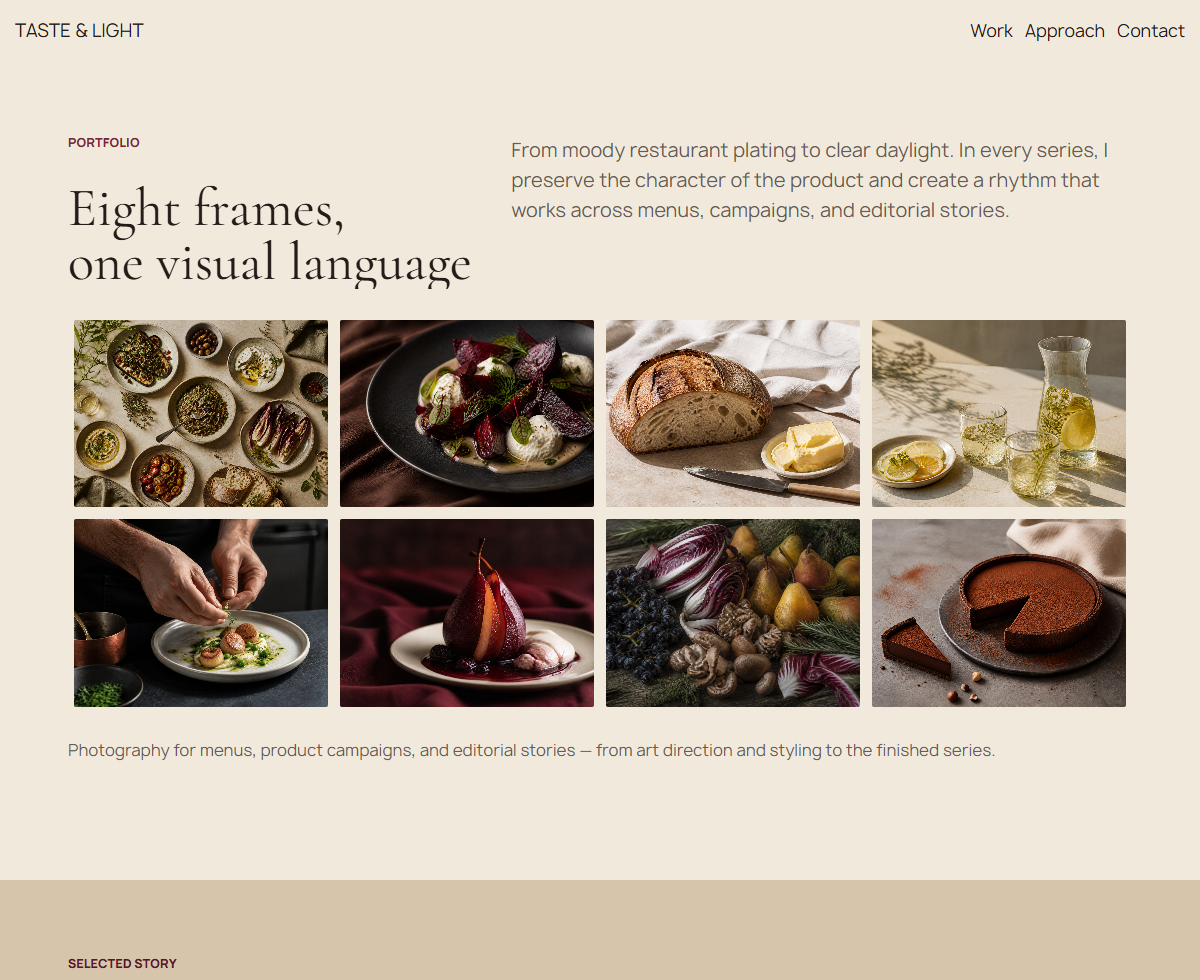
Every page is built from clear layers.
Blocks define the composition, elements hold the content, and shared typography and colors keep every page in one visual language.
 Columns
 Multi block
 Title
Title
 Text (Editor)
 Call to action
 Buttons
 Social networks
 Banner
 Slider
 Image grid
 Image carousel
 Cards
Cards
 Card carousel
 Image
Image
 Product categories
 Products
 Product carousel
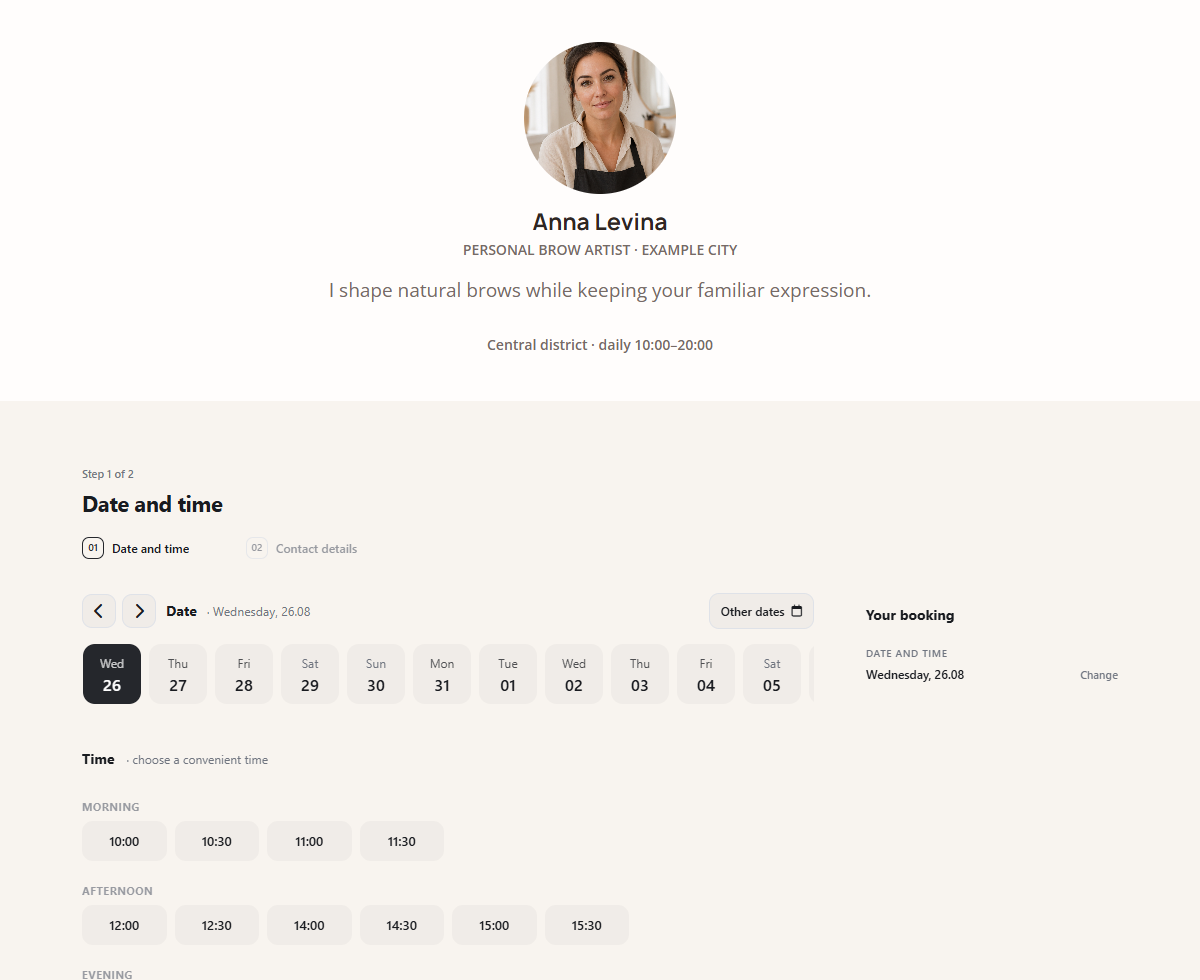
 Online booking
BUILDER CAPABILITIES
Build a page, then put it to work.
Tools are organized around real jobs: create the content, connect business workflows and improve the website after launch.
Content and design
AI assistant
Helps prepare a structure and first copy draft from a short description.
Visual editor
Edit directly on the canvas and see the result immediately.
Ready-made blocks
Build pages from proven compositions, then make each one your own.
Typography and fonts
Set up headings, body copy, buttons and Google Fonts as one system.
Business on the website
Online store
Catalog, product variants, cart, orders, payments, delivery and promo codes.
CRM and inquiries
Inquiries, orders and bookings are stored with customer contacts and activity history.
Online booking
Add services, schedules, team members and customer-facing reservations.
Blog
Publish articles, organize them by category and grow organic traffic.
Publishing and growth
SEO controls
Manage metadata, page addresses and search-friendly content.
Domain and SSL
Connect your own domain while secure HTTPS is configured automatically.
Analytics
Connect analytics tools and understand how visitors use each page.
Custom HTML and CSS
Extend built-in features with code when a project needs precise customization.
Work from your phone
Manage projects and essential actions in the Mobitsa mobile app.
ONLINE STORE
Sales become part of the website, not a separate system.
Add a catalog to an existing page or create a complete store. Products, variants, the cart and orders live in the same workspace as content and CRM.
Catalog and filters
Organize products by category and help customers narrow the choice by price, properties and variants.

Product page and variants
Images, specifications, sizes, colors and stock are presented in one clear product page.

Cart and order
Customers place an order on the website and your team continues the work in Mobitsa.

PATH TO PUBLISHING
Three stages from an idea to a working website.
You do not have to design the entire system in advance. Launch the foundation, learn from real visitors and expand it as the business grows.
-
01
Build the foundation
Choose a ready-made structure or ask AI to prepare a first draft from your brief.
-
02
Fit it to the business
Add your content, design and modules: store, booking, CRM, blog or an AI chatbot.
-
03
Publish and improve
Connect a domain, configure SEO and analytics, then keep improving without rebuilding from scratch.
WEBSITE + AI CHATBOT
The page attracts a customer. The chatbot keeps the conversation moving.
Connect an AI chatbot to answer questions, clarify inquiries and guide a customer toward a lead, booking or order.
Explore AI chatbotsPRICING
Start with your first page for free.
Choose a plan based on the scale of the project. Current features and limits are visible before registration.
Free
For your first website and an introduction to the workspace.
- 1 website
- 1 page per website
- Up to 5 elements per page
- 300 MB for files
PRO
For a website, sales, booking, and daily customer work.
- Up to 3 websites
- Online store
- CRM for leads, bookings, and customer history
- Online booking for up to 10 services
- 1 AI chatbot and up to 10 knowledge bases
BUSINESS
For multiple projects, teams, and larger catalogs.
- Up to 20 websites
- Up to 5 workspaces and 20 members in each
- Team booking for up to 50 employees
- 10 AI chatbots and up to 50 knowledge bases
EXPLORE NEXT
Details, examples and answers are close at hand.
Explore individual Mobitsa capabilities or open step-by-step guidance in the help center.
YOUR FIRST VERSION — TODAY
Build the website around a real business task.
Start with one page. Add more sections, sales, booking and automation later without moving to another platform.