
MOBITSA ONLINE STORE
From a product on the storefront to an order in progress.
Build a catalog on your website and configure variants, inventory, delivery, and payments. Customers place orders while your team continues the work in one shared workspace.
The store connects to your website as a dedicated module, without switching between separate services.
Storefront
Product catalog
Categories · filters · variants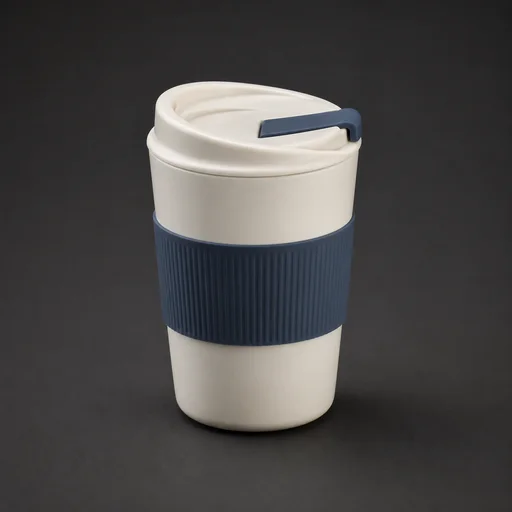
New order
Order #1048
ONE COMMERCE FLOW
The store does not end at the Buy button.
Product data moves through the storefront and checkout without manual transfer. Each order already contains its items, customer, payment, and delivery.
Shows available data and validates an order before it is saved.
Items, total, customer, and statuses are collected in one record.
CATALOG AND FILTERS
Help customers narrow the choice quickly.

Desktop catalog with filters
CATALOG
Enough detail to choose, without an overloaded product page.
Manage product content once and let the store reuse it in the catalog, product page, and checkout.
Categories and search
Build a clear catalog and help customers reach the right product faster.
Variants and attributes
Separate sizes, colors, and other properties; give each variant its own SKU, price, images, and inventory.
Price and availability
Show regular and sale prices, manage inventory, and control whether an item can be ordered.
Description and SEO
Add short and full descriptions, a custom URL, meta title, and meta description.
PRODUCT PAGE
Variants, availability, and purchase in one view.

Product page with variants
CUSTOMER JOURNEY
From product search to a confirmed order.
Every step uses your existing store data and passes the context forward.
- 01Finds a product
Opens a category, searches the catalog, or lands on a product page.
- 02Chooses a variant
Checks the properties and sees the current price and availability.
- 03Builds the cart
Changes quantities and reviews the future order.
- 04Sets the terms
Chooses available delivery and payment methods and applies a promo code.
- 05Places the order
Leaves contact details; the complete order appears in the team workspace.
SALES TERMS
Checkout follows the rules of your business.
Instead of a rigid form, configure the scenarios available to each customer.
Delivery
Create methods and geographic zones and configure their cost and availability.
Payments
Connect the methods you need and match them to suitable delivery options.
Promo codes
Configure discounts, expiry, usage limits, order ranges, and free delivery.
CHECKOUT
Customer details and the cart stay side by side.

Checkout on the storefront
AFTER CHECKOUT
The team gets a working order, not just a notification.
Items and customer data stay next to payment and delivery statuses, so work can continue immediately.
Items and total
Products, variants, quantity, discount, delivery, and final amount.
Customer and contact
The contact links the order to the shared customer history without reducing CRM to a store feature.
Processing statuses
Track the order stage, payment, and unread records so the team sees the current state.
Items3 products
PaymentPending
DeliveryCourier
MODULES WORK TOGETHER
A Mobitsa workspace makes the store stronger.
Connect only the modules you need while keeping products, contacts, and context together.
Website builder
Build a storefront, category pages, and product pages in your brand design.
CRM and contacts
An order joins the customer history alongside requests, bookings, and conversations.
AI chatbot
Answers questions about the catalog, price, and stock, helps choose a product, and opens the cart.
SEO
Use dedicated URLs and metadata for products and categories.
PRICING
Start with the catalog capacity you need today.
The store is available on paid plans. Prices and limits below come from the current Mobitsa configuration.
PRO
For one or several websites with a complete product catalog.
- Up to 1 000 products
- Up to 50 categories
- Up to 100 variants per product
- Delivery, payments, and promo codes
- Orders and contacts in the workspace
BUSINESS
For large catalogs, multiple projects, and a team.
- Up to 10 000 products
- Up to 1 000 categories
- Up to 100 variants per product
- Higher website and team limits
- All store and workspace capabilities
QUESTIONS AND ANSWERS
The essentials before launch.
Direct answers shown in full, without hidden accordions.
Do I need to build a separate website?
The store works as a module inside a Mobitsa website. Design the pages in the builder and connect catalog, product, and cart blocks.
Can I sell products in different sizes and colors?
Yes. Variants combine selected attributes and can have their own SKU, images, price, discount, and inventory.
Where does a placed order appear?
It is saved in the workspace with its items, customer, payment, delivery, promo code, and statuses.
Can I configure product SEO?
Yes. Products and categories have dedicated URLs, titles, and descriptions for search engines.
MOBITSA + COMMERCE
Build a storefront that sends every order straight into the workflow.
Start with the catalog and add delivery, payments, CRM, and an AI chatbot as your business grows.