
MOBITSA SOLUTIONS
Choose a tool for your task.
Explore capabilities, examples and setup steps. Start with the tool you need and add others as your project grows.
MOBITSA TOOLS · 01
AI websites and apps
For a company website, portfolio, presentation or mini-app. Describe your design and page behaviour, then keep developing the project through conversation.
What you can do
- Pages, navigation, design and animation for your task.
- Interactive tools such as a calculator, quiz or planner.
- Connect your catalog, bookings and forms when your project needs them.
How to start
- Describe your idea, audience and desired result.
- Review the first version and refine its content, design and behaviour.
- Check pages on desktop and mobile before publishing.
Monday.
Three important things for today.
MOBITSA TOOLS · 02
AI for everyday tasks
For project owners and everyday work in the dashboard. Discuss ideas, request changes and find information in your Mobitsa tools.
What you can do
- Discuss a task and choose the next step.
- Create and update a project, services and products.
- Find contacts and related inquiries, orders and bookings.
How to start
- Choose your project and explain what you want to do.
- Clarify details when the assistant asks.
- Open the result in your project or the relevant tool and review it.
Update the description of the Sand vase in the catalog.
Which details should I add?
24 cm tall, handmade. Suitable for dried flowers. Keep the price unchanged.
The product description has been updated. The price is unchanged.
MOBITSA TOOLS · 03
Online store
For a brand or store with its own products. Customers choose products and place orders while you manage your catalog and orders in the dashboard.
What you can do
- Products and categories in your Mobitsa catalog.
- A storefront, cart and order checkout.
- Payment and delivery settings for your store.
How to start
- Add products, photos, descriptions and prices.
- Prepare a storefront and configure payment and delivery.
- Check the customer journey from choosing a product to placing an order.
Example · order after checkout
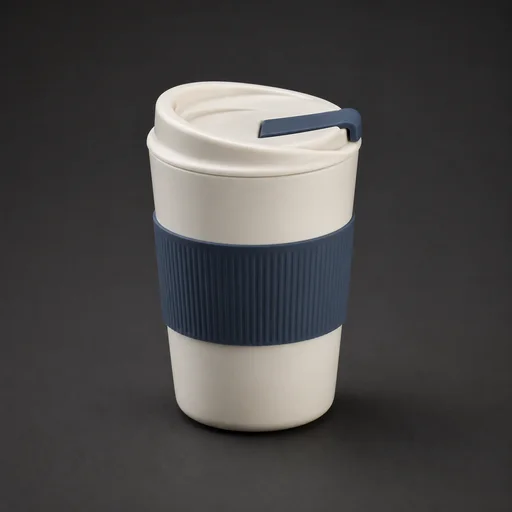
Travel mug
1 item
$42- Customer
- Emma
- Total
- $42
Delivery · Pickup
Payment · On collection
SMALL ONLINE STORE
From choosing a product to placing an order.
For a brand or store with its own catalog. Customers choose products from the catalog and place an order through the cart. Connect a bot for advice when needed.
- Add products and build your storefront.
- Configure delivery and payment methods.
- Check product selection and the cart. Optionally connect a bot with catalog access.
- The buyer reviews their details and completes checkout separately.
MOBITSA TOOLS · 04
Online booking
For independent professionals and teams. Customers choose a service and an available time; appointments appear in your calendar. You can start with a standalone booking link.
What you can do
- Services with prices and durations, schedules and availability.
- Staff and resources for a team.
- A public booking form and calendar with appointment details.
How to start
- Add your services and set available times.
- For a team, assign staff, services and working schedules.
- Test a booking and share the form or add it to your website.
INDEPENDENT SPECIALIST
Your appointments. Without the scheduling back-and-forth.
For a consultant, teacher or specialist working independently. Customers choose a service and an available time themselves.
- Add a service, price and duration.
- Set your available time.
- Share a booking form link or add booking to your website.
- The customer chooses a time; the appointment appears in your calendar.
SERVICE STUDIO
Customers choose. Your team sees their day.
For a studio with several specialists. Services, schedules and appointments help distribute work and account for team availability.
- Add services and specialists.
- Assign services and work schedules.
- The customer chooses a specialist and an available time.
- The appointment is saved with an assigned team member.
MOBITSA TOOLS · 05
Customer bots
For talking to visitors in connected channels. Your bot uses business knowledge and its enabled skills. You choose its information and capabilities.
What you can do
- Answers based on a connected knowledge base.
- Collect inquiries and help with products or bookings using enabled skills.
- Configure channels and review answers in a test conversation.
How to start
- Prepare your business information and connect a knowledge base.
- Choose a channel and configure the capabilities you need.
- Test questions and answers before launching for customers.
It’s my first time. What should I bring?
Just your curiosity. Clay, tools and an apron are waiting for you at the workshop.
↳ Visiting rulesConnected knowledge
MOBITSA TOOLS · 06
Customers and inquiries
For managing contacts and inquiries. Open a customer record, review related inquiries, bookings and orders, and continue the conversation with context.
What you can do
- Customer contacts and records with available history.
- Inquiries with contact details, a description and status.
- Related inquiries, orders and appointments to prepare for a conversation.
How to start
- Set up an inquiry form or a customer bot that collects inquiries.
- Open a new inquiry and review the contact details and task.
- Find the customer record and continue working with their history in view.
RECEIVE INQUIRIES
From a first question to a lead you can work with.
For projects where you need to discuss the task before an order. Visitors leave an inquiry through a form or customer chatbot; you continue working with the lead in your dashboard.
- Decide what you need to learn about the customer’s task.
- Add a form to your website or connect a bot with lead collection enabled.
- The customer leaves contact details and a description of the task.
- Open the lead, read the details and choose a next step.
CAPABILITIES AND SETUP
Getting your tools ready.
Can I take bookings without a website?
Yes. Set up services and availability, test the public booking form and share its link with customers.
Do I need every module?
Choose only the tools you need. A portfolio can work without a store, and a booking form can be used without a website.
Can I offer services and products together?
Yes. Set up services and availability for appointments, and a catalog and sales conditions for purchases. Manage bookings and orders in their respective tools.
How is the assistant different from a customer bot?
The assistant helps you work in your dashboard. A separate customer bot talks to visitors using its connected knowledge and skills.
How do I choose a plan?
Compare the tools, team access and AI credit limits on the pricing page, along with trial and subscription terms.